
All your papers. One simple app.
Scan, keep and find every document in seconds. Plus 36+ tools for online forms: passport photo, compress to the exact KB, self-attest, merge PDFs. Big buttons, made for every age.
- No sign-up
- No ads
- 25 free coins every morning
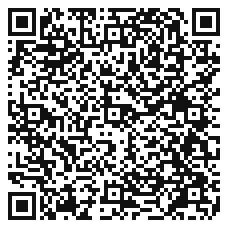
On a computer?Scan with your Android phone
to get Stash-it! on Google Play.
Form day, sorted.
No more trips to the cyber café for one photo resize. Every usual headache has a tool, right on your phone.
- Photo must be under 50 KBCompress to a sizeA photo or PDF to an exact size: 100 KB, 200 KB, 500 KB or a size you type.
- Signature in the wrong sizeExact size for formsPhoto and signature in the exact size an online form asks for.
- Needs self-attested copies, no printerSelf-attestYour signature and the date on every page.
- Five files, one upload boxMerge PDFsJoin several files into one PDF.
- Passport photo with a white backgroundPassport photoA clean white background, ready for forms.
- Card front and back on one pageBoth sides on one pageFront and back of a card together on one page.
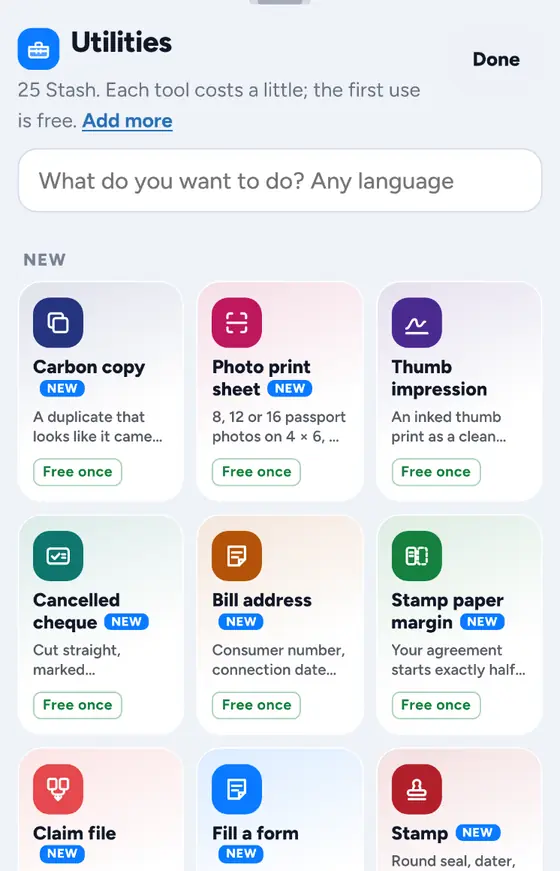
36+ tools for forms and paperwork.
Search for what you need to do. Open any document and tap Tools: the tools that fit it are shown first.
Showing 23 popular tools
Passport photo
A clean white background, ready for forms.
Photo print sheet
Your passport photos laid out on one sheet to print.
Compress to a size
A photo or PDF to an exact size: 100 KB, 200 KB, 500 KB or a size you type.
Exact size for forms
Photo and signature in the exact size an online form asks for.
Self-attest
Your signature and the date on every page.
Stamp
Add a round seal, date, box or oval stamp.
Sign
Put your signature on any document.
Mark up
Write, draw and highlight on a page.
Fill a form
Tap anywhere and type, with your details ready.
Merge PDFs
Join several files into one PDF.
Split a PDF
Break one PDF into separate files.
Pick pages
Keep only the pages you need.
Page numbers
Number every page of a PDF.
Lock a PDF
Protect a PDF with a password.
Unlock a PDF
Remove the password from a PDF you can open.
Watermark
Add a watermark across your pages.
Share-safe copy
Mark who a copy is for and cover numbers before you share.
Clean photocopy
No shadows, white paper, dark text.
Both sides on one page
Front and back of a card together on one page.
Cancelled cheque
A cancelled cheque copy, ready to upload.
Thumb impression
Add a thumb impression to a document.
Claim file
Put the papers for a claim together.
Portal-ready kit
Your files ready for an online portal.
…and more
Over 36 tools in the app. Search them in any language.
No tool by that name here. The app has more than 36 tools, so open Stash-it! and search in Utilities.
Every tool's first use is free.
Every paper in its place.
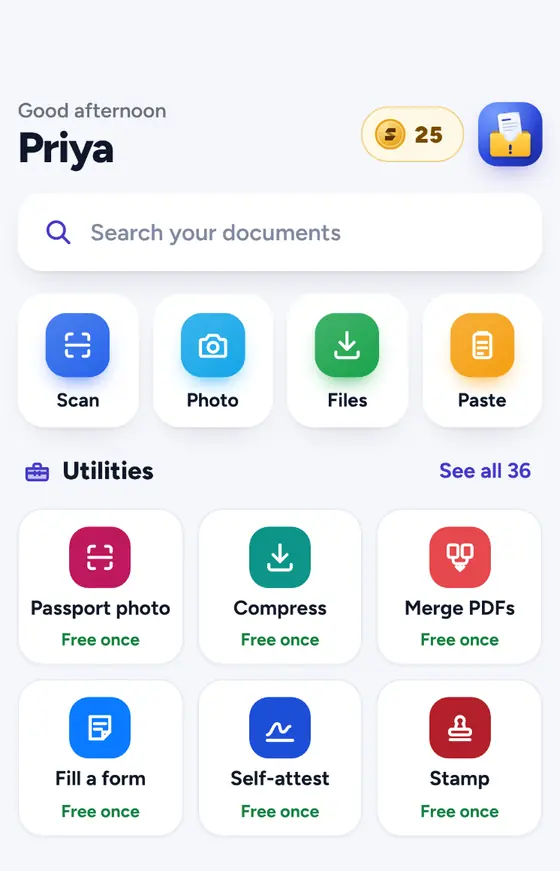
Stash-it! reads each page, names it and files it in the right folder, so finding it later takes seconds.
- Scan or add anythingScan papers with your camera, or add photos, PDFs and files.
- Filed for youReady-made folders for studies, bills, ID, health, home and more.
- Search insideSearch the words inside your documents and find anything in seconds.
- RemindersGet reminded before a document expires or a bill is due.
- Notes, voice notes, QRKeep notes and voice notes with your papers, and make QR codes.
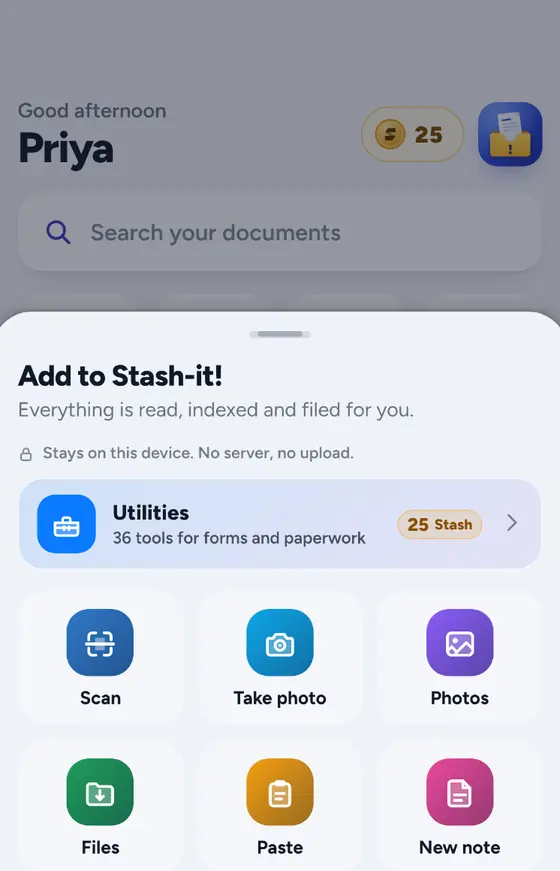
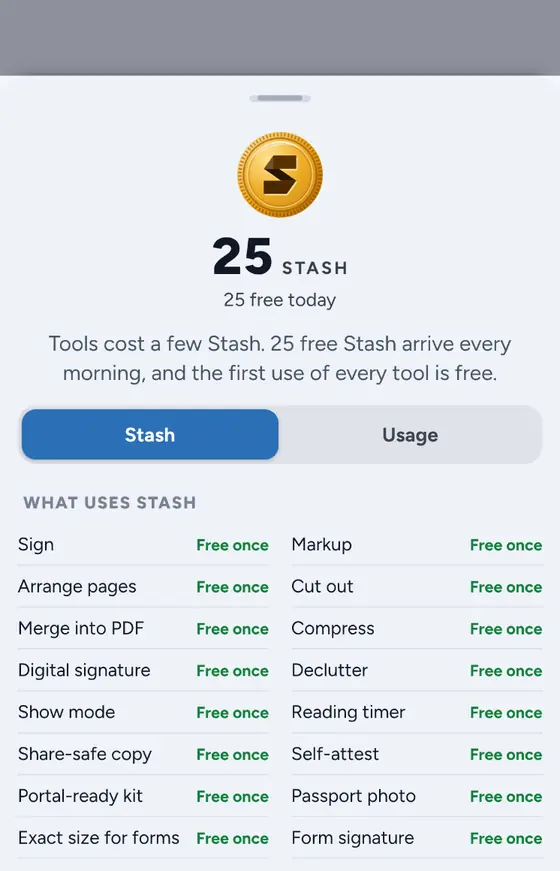
Coins, not subscriptions.
Tools use a few Stash coins. Most days, the free coins are all you need.
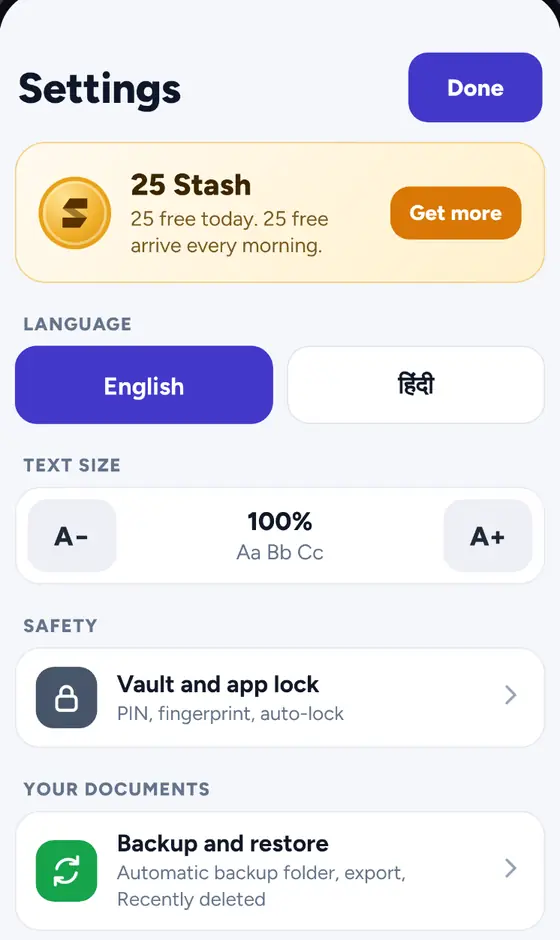
Simple enough for everyone at home.
Made for students filling their first form and grandparents keeping their pension papers.
- One home screen, big buttonsEverything starts from one simple screen.
- Bigger text with one tapOne simple Settings page with big buttons.
- English and हिंदीSwitch the whole app to Hindi any time.
- Light and quickRuns smoothly on everyday phones. Documents open in a plain scrolling view.
Three taps to a finished form.
Scan or add
Scan a paper with your camera, or add a photo, PDF or file. Stash-it! names it and files it.
Tap Tools
Open the document and tap Tools. The tools that fit it are shown first: compress, passport photo, self-attest, merge…
Share or upload
Save the result, then upload it to the form or share it. It stays on your phone until you do.
Your papers stay on your phone.
Nothing is uploaded unless you share it. No account, no ads, no tracking, in the app or on this website.
- No account, no sign-upOpen the app and start.
- No adsNothing in your way, nothing following you.
- PIN or fingerprintLock the app and your Vault.
- Automatic backupTo a folder you choose, so you can restore after reinstalling.
Questions, answered.
Is Stash-it! free?
Yes. Stash-it! is free to download, with no sign-up and no ads. Scanning, keeping and finding your documents is part of the app. The tools use a few Stash coins: you get 25 free coins every morning, and the first use of every tool is free.
How do Stash coins work?
Each tool uses a few coins. 25 free coins arrive every morning, and the first time you use any tool it is free. If you need more, you can buy a coin pack. There is no subscription.
Can it make my photo under 50 KB or 20 KB?
Yes. Compress to a size brings a photo or PDF down to the size you need, such as 100 KB, 200 KB or 500 KB, or a size you type. Exact size for forms gives you a photo and signature in the size an online form asks for. Always check the form's own instructions for the limit.
Can I self-attest without a printer?
The Self-attest tool puts your signature and the date on every page of a document on your phone, so you can share the PDF without printing. Some offices still ask for a pen signature on paper, so check what your form needs.
Does it work in Hindi?
Yes. Stash-it! works in English and Hindi. Switch the language any time in the one simple Settings page.
Are my documents uploaded anywhere?
No. Your documents stay on your phone, and nothing is uploaded unless you share it. There is no account. You can lock the app and your Vault with a PIN or fingerprint, and keep an automatic backup in a folder you choose so you can restore after reinstalling.
Is it easy for my parents to use?
That is what it is made for: big buttons, one home screen, one simple Settings page, bigger text with one tap, and documents that open in a smooth, plain scrolling view. It is light and quick on everyday phones.
How to resize a photo to 20 KB or 50 KB for online forms
Step by step: crop, resize and compress a photo or signature to 20 KB, 50 KB or any size an online form asks for, on your phone, without losing clarity.
Read the guide PDFHow to compress a PDF to 100 KB on your phone
Why PDFs get big and how to bring one under 100 KB (or any limit) on your Android phone: scan settings, fewer pages, compression and checks.
Read the guide Self-attestHow to self-attest a document without a printer
What self-attestation usually means, and how to sign and date document copies on your phone when you have no printer, plus when a paper signature is still needed.
Read the guideForm day? Sorted.
Free on Google Play. No sign-up, no ads. 25 free coins every morning.
Get it free onGoogle PlayOn a computer?Scan with your Android phone
to get Stash-it! on Google Play.